In this issue: More insight into hours worked | More insight into absences from work & More insight into vacation activity
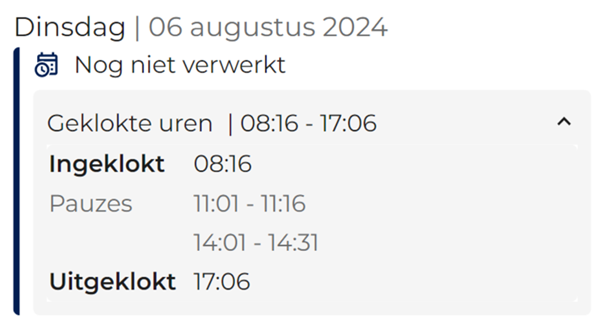
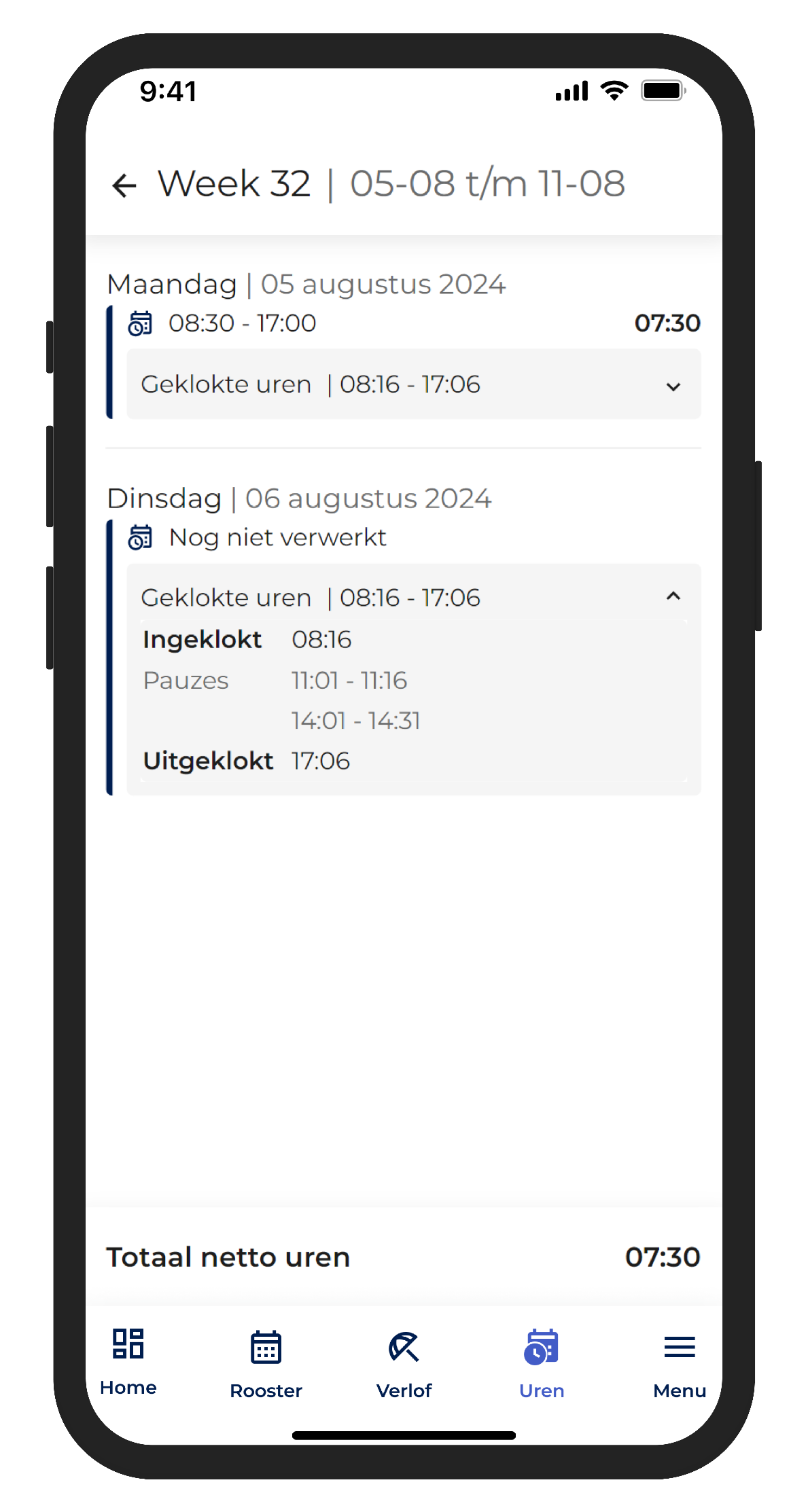
Starting Wednesday, August 28, the R&R Job App will also display clocked-in times in the work time screen (under the “Hours” menu item).
This allows employees to see immediately whether their times have been recorded correctly. As long as the clocked-in times have not yet been approved for processing or payment, the message “Not yet processed” will appear next to the times.
As mentioned in previous newsletters, this feature can be disabled through the settings if desired.
In addition, starting Wednesday, the hours worked will be updated once the assignment has been approved. As soon as an assignment for a given day is approved for all employees at a store, distribution center, or gas station, the hours worked for that day will be visible in the R&R Job App. Even subsequent changes will appear within a few minutes, regardless of whether they are explicitly approved again. This ensures that the employee and you always see the same data.
This feature can be disabled in the configuration settings if necessary.
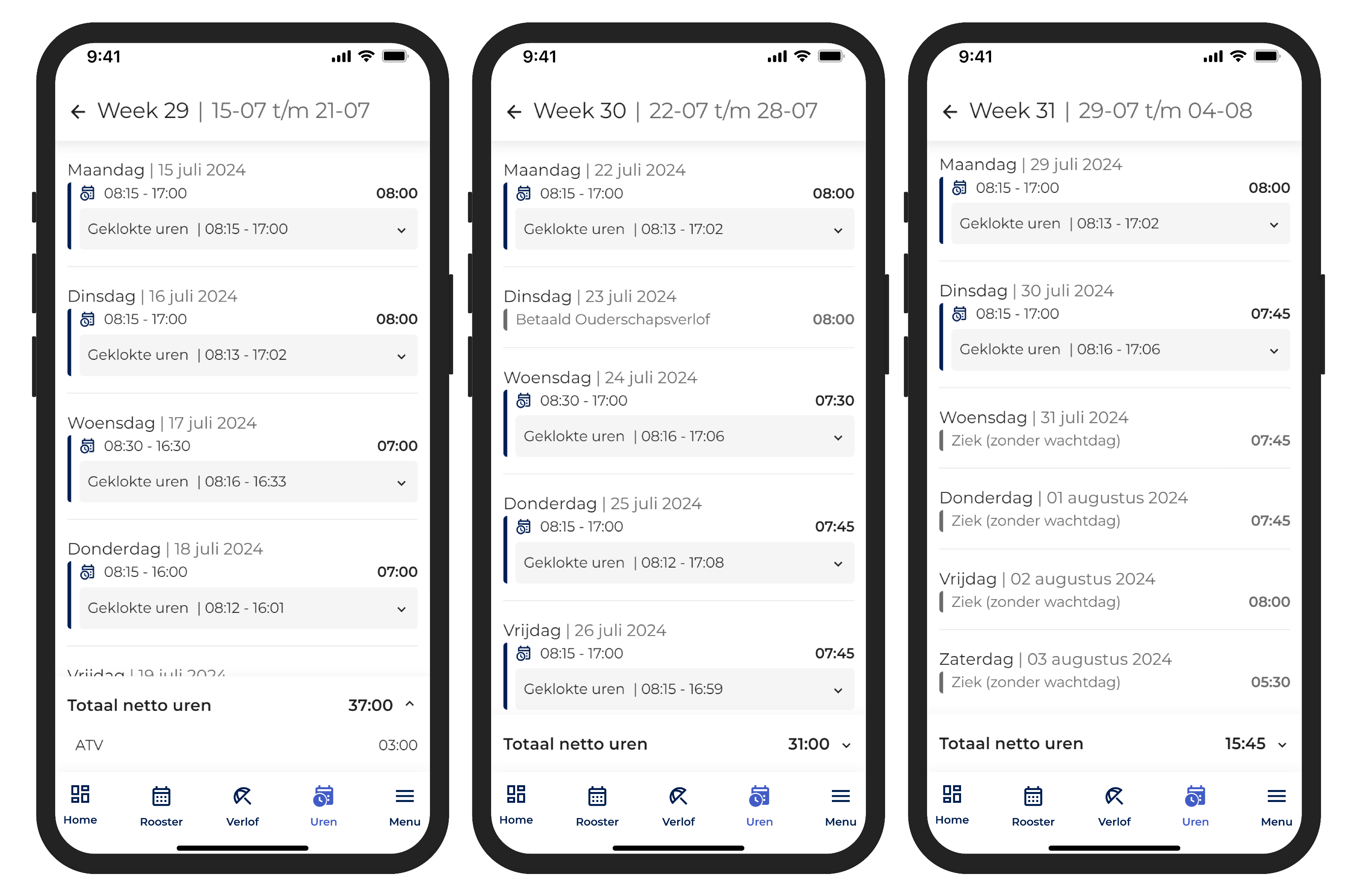
In addition to the hours worked by the employee, the system also displays recorded absences. When employees can see how many hours of parental leave, vacation, or sick time were recorded in a given week, it’s easy for them to verify that everything was recorded correctly. This reduces the number of inquiries that are typically received only after pay stubs have been sent out. These absences become visible in R&R only after the payroll screen has been set up. Since ATV or RVU are reported weekly as a supplement for the week, they are not displayed on a specific day but are placed at the end of the weekly total. This ensures that a clear result is available each week, even if work is performed on different days.
Like the features mentioned above, this one can also be disabled in the configuration.
Employees can already view their vacation balances in the R&R Job App. All vacation transactions are aggregated and displayed by vacation type for the entire year. We will be introducing more flexibility in this area.
To provide a better overview of these leave adjustments, we will display them for different time periods. We will retain the clear overview where you can see all current leave adjustments, but we will add the option to view individual adjustments for the previous pay period. This will allow employees to quickly verify that their pay stubs are correct.
Would employees like to learn more details about changes to a specific type of leave? If so, they can view the complete history directly, which shows all changes to that leave on a weekly basis. Optionally, you can also display leave changes alongside the hours worked. This way, your employees can immediately see whether a particular week resulted in overtime pay or whether hours were actually worked during that week. This ensures they always have a complete overview, minimizing surprises on pay stubs and the resulting questions.
Do you have any questions about the information above? Please contact us at aftersales@rr-wfm.com .
Would you like to read past newsletters again? You can do so at any time on our website. You can find the archive of our product updates. here.
Sincerely,
Hiska Boelema – Product Owner