In this issue: KPIs are now visible in the R&R Job App
R&R will soon have a new feature: the ability to view KPIs in the Job App! With this update, you'll always have your KPIs at your fingertips without having to log in to R&R.
This feature will be rolled out gradually to R&R users shortly. Keep an eye on the Notification Center in R&R to find out when this feature will be available to you. This feature will be rolled out gradually to R&R users shortly. Check the Notification Center in R&R to find out when this feature will be available to you.
1. 2.
2.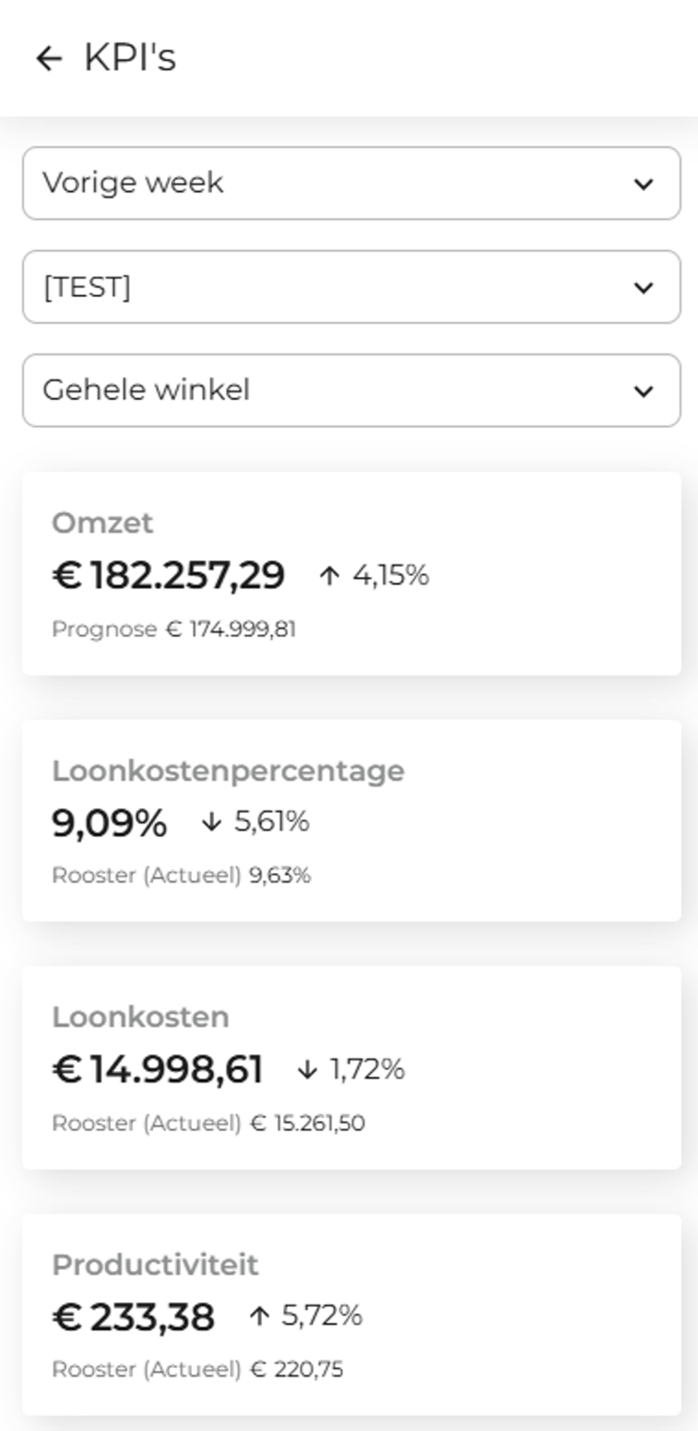
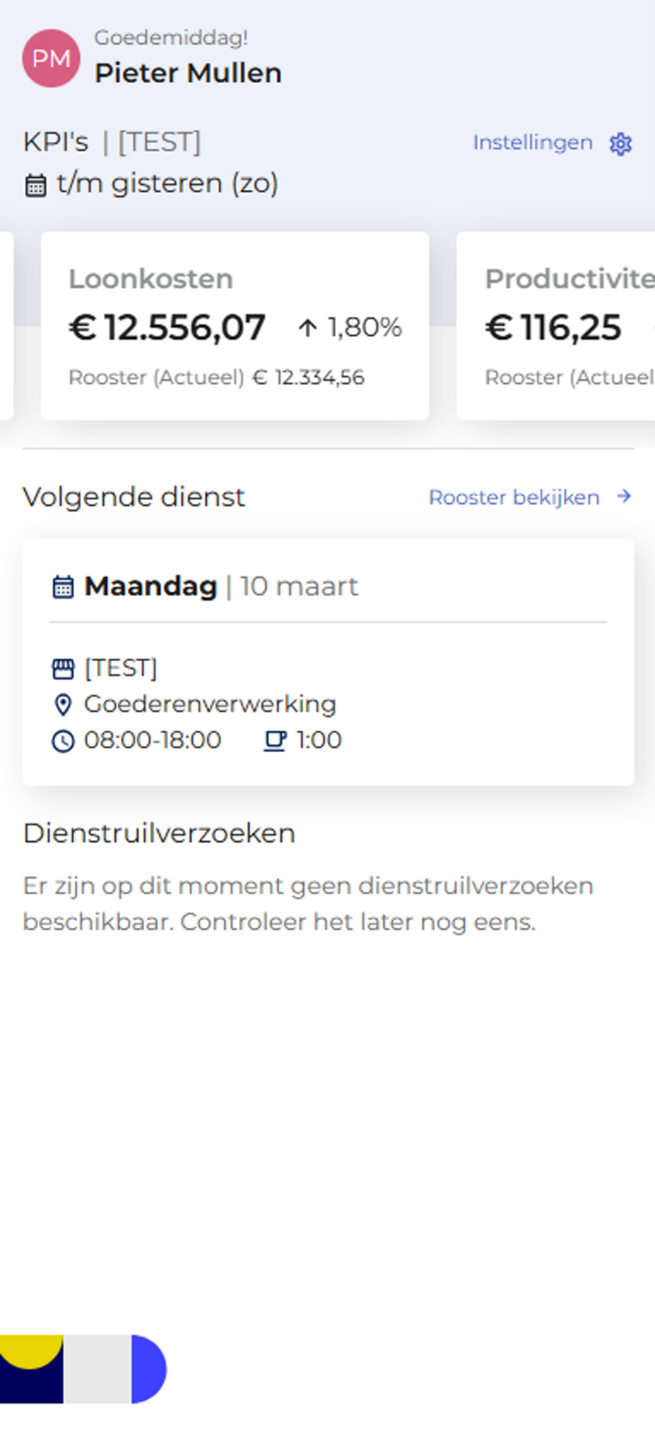
1. KPIs are visible on the home screen in the Job App
2. You can view more details on the KPI screen
The KPIs you see are the same as the KPIs in the dashboard for the stores you have access to. If your R&R account has access to multiple stores, you can choose which store(s) you want to view in the R&R Job App.
When you use R&R Insights, you can create your own KPIs. You can view these custom KPIs in the Job App instead of R&R's default KPIs. This makes it easy for you to identify the KPIs that are important to you.
To use this feature, you must first link your R&R account to the Job app. You can do this in the following ways:
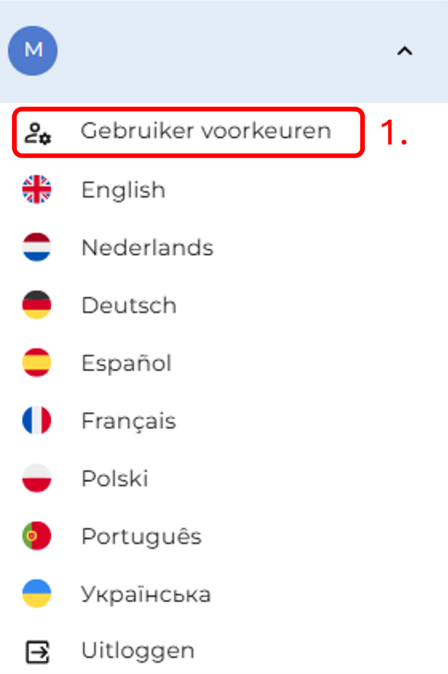
1. Log in to the web application using your R&R account and go to “User Settings” in the navigation menu.
2. Go to “Link R&R Job App.”
3. Then click “Link R&R Job App Account.”
4. A window will now open. Log in here with your R&R Job App account, and your accounts will be linked. You'll then be able to view your KPIs right away.

Do you still have questions after reading the information above? Please contact us at aftersales@rr-wfm.com, and we will make sure your question or request reaches the right people.
Would you like to be the first to hear about our new products? Sign up on this page, and we'll add you to our mailing list. Would you like to read past newsletters again? You can do so at any time on our website. You can find the archive of our product updates here.
Sincerely,
Mark Taling – Product Owner