This issue covers the new configuration options in the R&R Job App, including the ability to choose which information is displayed and whether employees can see who they are working with. We’ll also discuss the option to submit temporary availability updates and show you how to easily delete vacation requests that haven’t been approved yet.
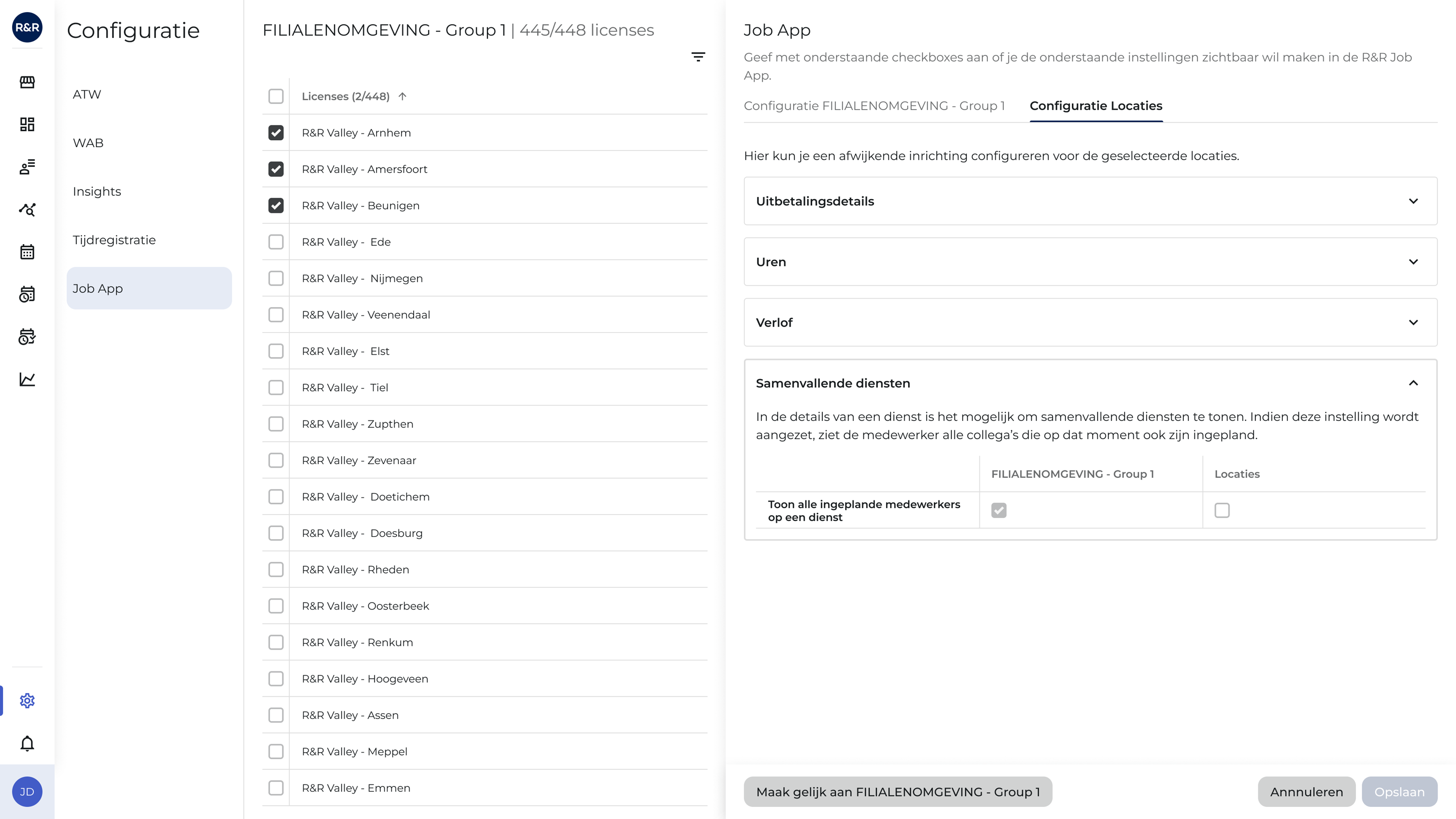
The R&R Job App is the communication tool for employees. In addition to providing more and more information in the app, managers have direct control over what is displayed there. By configuring their own settings in R&R, they can choose which information appears in the app and which does not.
In the latest product update, it was announced that you can configure whether an employee can see who they are working with. In addition, further configuration options are available for the R&R Job App. You can also specify which hours are displayed on this page. In addition to the hours worked—the current functionality—you can also specify whether the hours worked should be visible in the R&R Job App.
This configuration option corresponds to the ATW rule settings. Details about this feature can also be found in the latest product update. The default settings for the R&R Job App can be applied to all locations at once. Would you still like to make exceptions to the default settings? No problem! You can always set exceptions for specific locations. This allows you to remain flexible and maintain control over the data your employees see!
This feature will be available starting next week.

In the product update from January of this year, the availability feature within R&R was discussed in detail. This feature allows an employee to specify when he or she is available to work. In addition to setting a default availability, it is now also possible to set a temporary availability.
Temporary availability is availability with an expiration date. Once this temporary availability expires, your standard availability will take effect again. As a result, you rarely need to register as a user.
This temporary availability is perfect for holidays and vacation weeks, for example. It enables the most efficient scheduling based on the employee's preferred availability, and both the scheduler and the employee benefit from this feature.
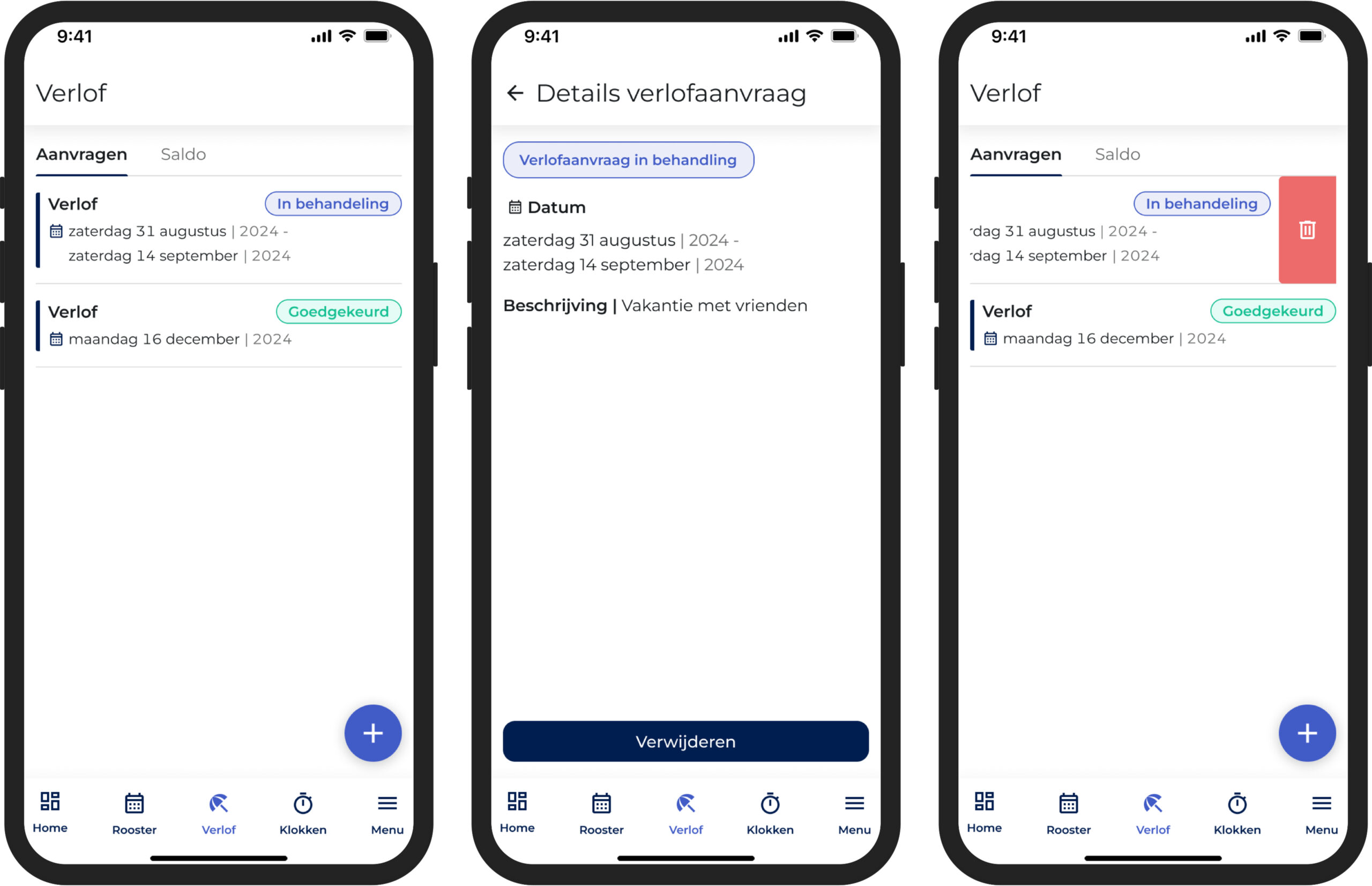
Everyone wants to go on vacation, and during the summer months, vacation requests can pile up. As an employee, you may have planned a few trips and submitted those vacation requests through the R&R Job App. If a trip falls through and your supervisor hasn’t reviewed that vacation request yet, you can easily remove it through the Job App.
A request is indicated by a blue icon in the vacation overview. Clicking on this request deletes the vacation request. The request then immediately disappears from the supervisor’s list; the supervisor no longer needs to review it.
But did you know that you can also delete a pending vacation request by swiping? Instead of clicking on the request and deleting it with a button, you can do this in the overview with a swipe!
Do you have any questions about the information above? Please contact us at aftersales@rr-wfm.com .
Would you like to read past newsletters again? You can do so at any time on our website. You can find the archive of our product updates. here.
Sincerely,
Hiska Boelema – Product Owner