Are you already using the new grid? If so, you can take advantage of these handy features right now!
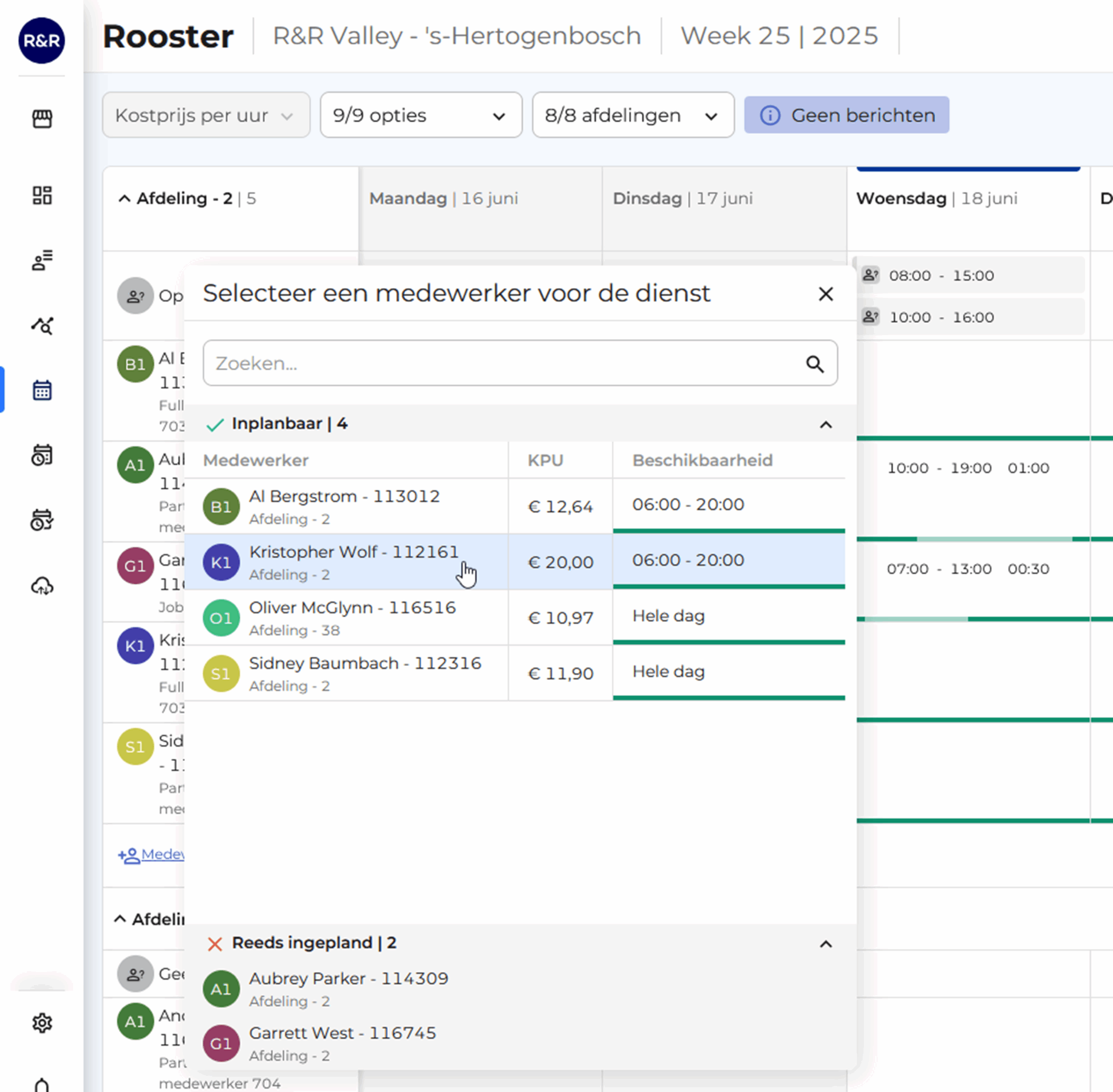
It is now possible to create open shifts within a department.
Think of shifts that you add based on expected working hours or scheduled work—without linking them to an employee just yet.
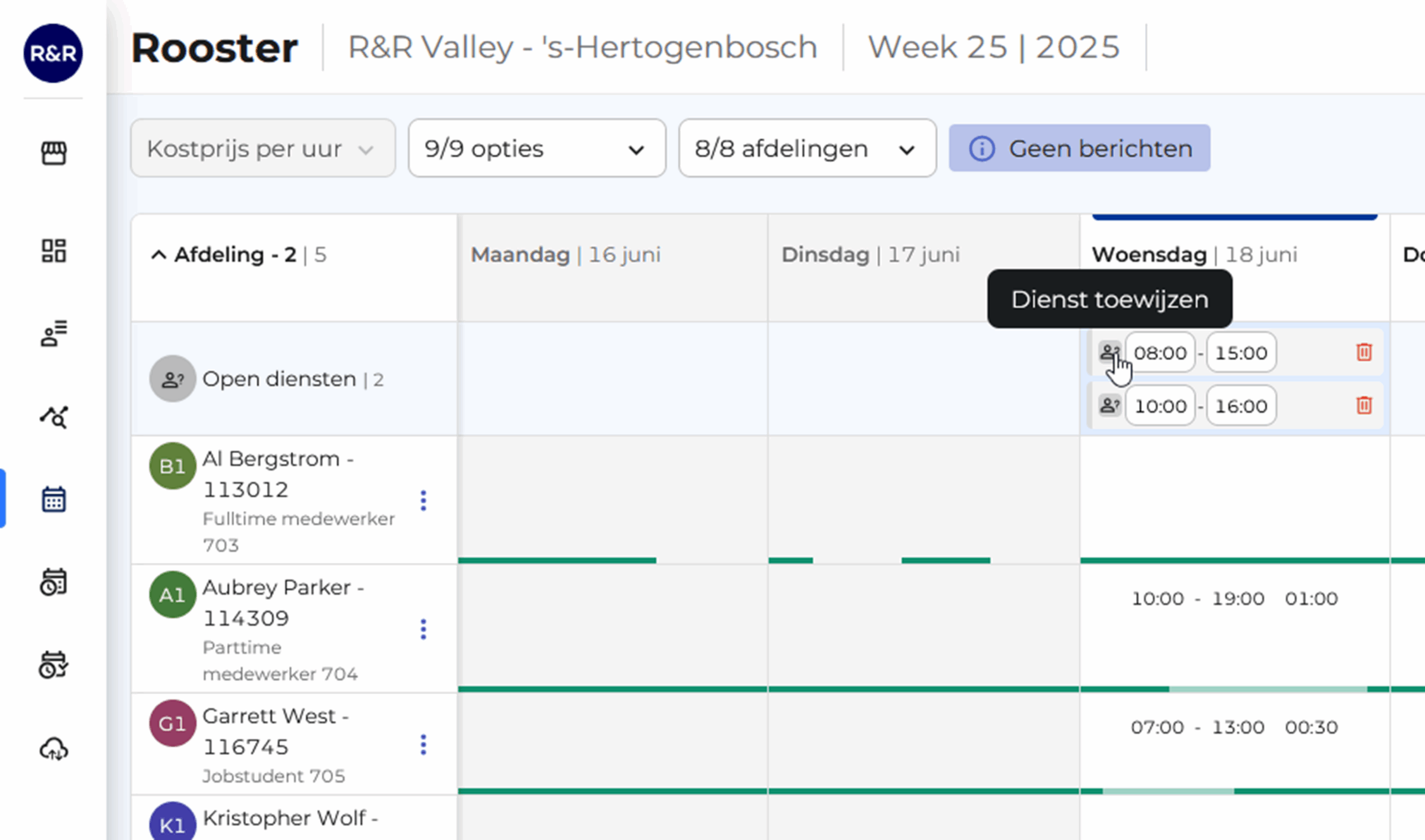
You can easily assign these open positions to qualified employees.
You can immediately see who's available, how high their availability is, and what their KPU is. Super handy for a quick switch!
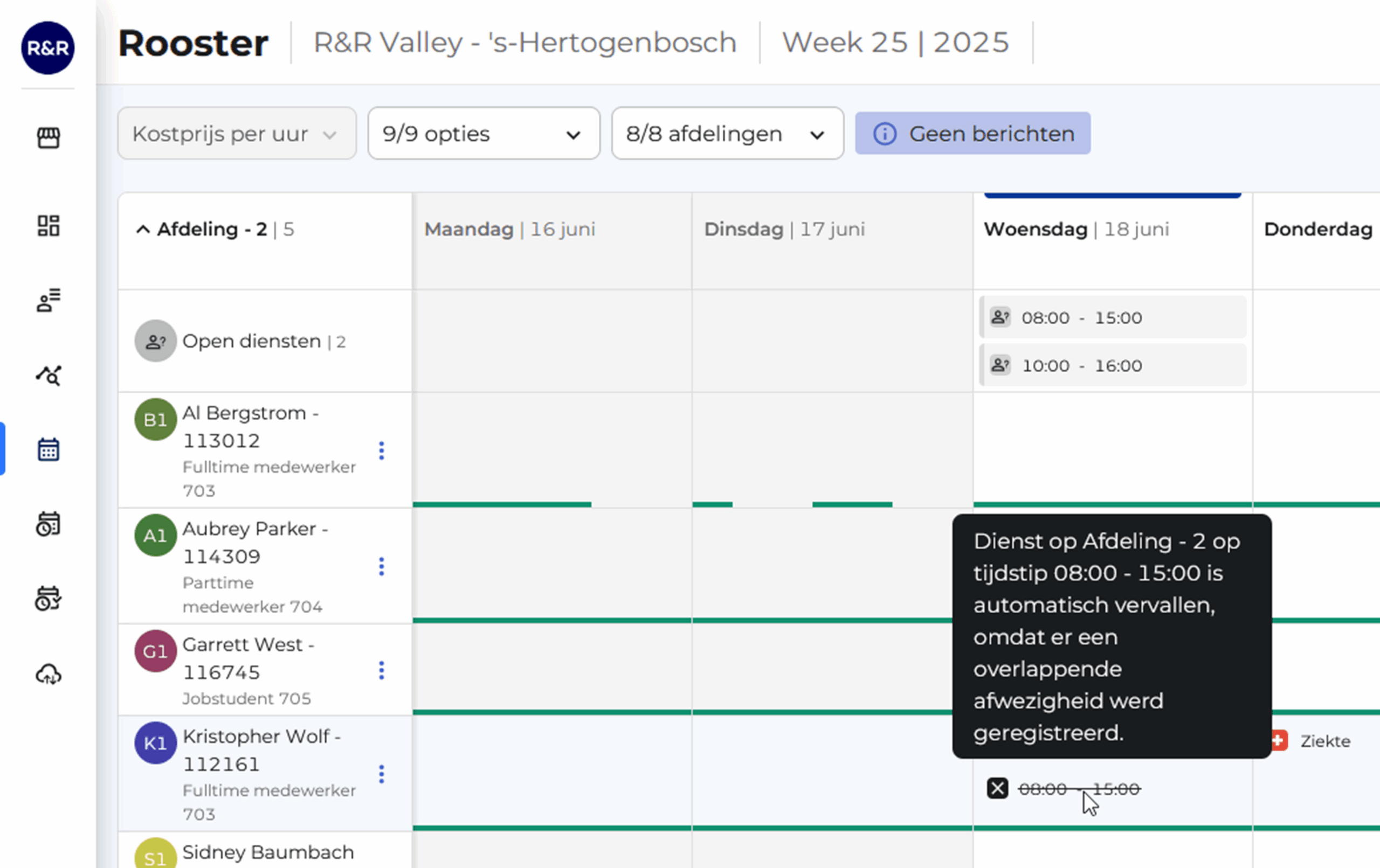
Expired Services
Expired shifts are now more visible: They remain assigned to the originally scheduled employee but are marked with a line through them. This way, you can always see where a shift used to be.
And new: This shift is automatically converted to an open shift ( e.g., after a sick leave notification). You can then immediately assign it to another available coworker.
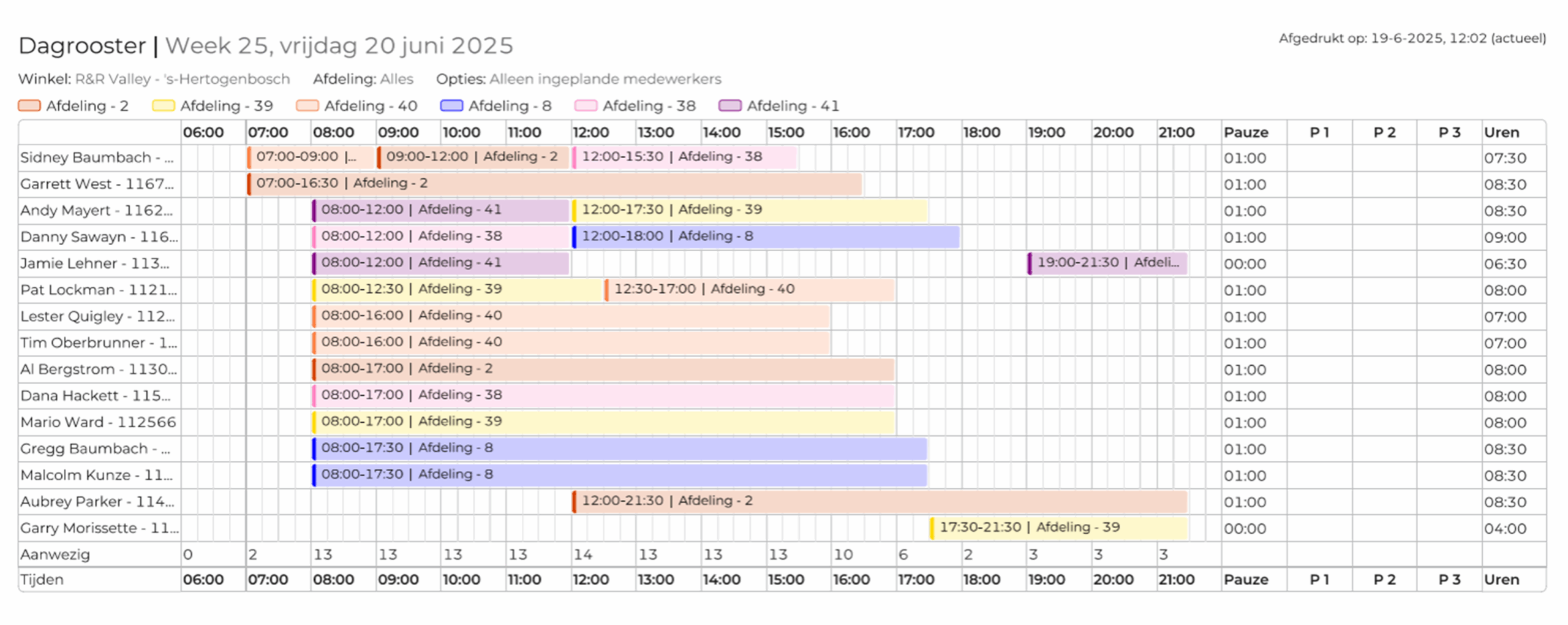
The printable daily schedule now has a new, clear layout. Here's what the schedule will look like:
What you choose to display is entirely up to you. When printing, simply select what you want to show—for example , which departments, the number of employees per hour, and whether or not to display the start and end times of shifts. This way, you can customize the schedule exactly as you see fit.
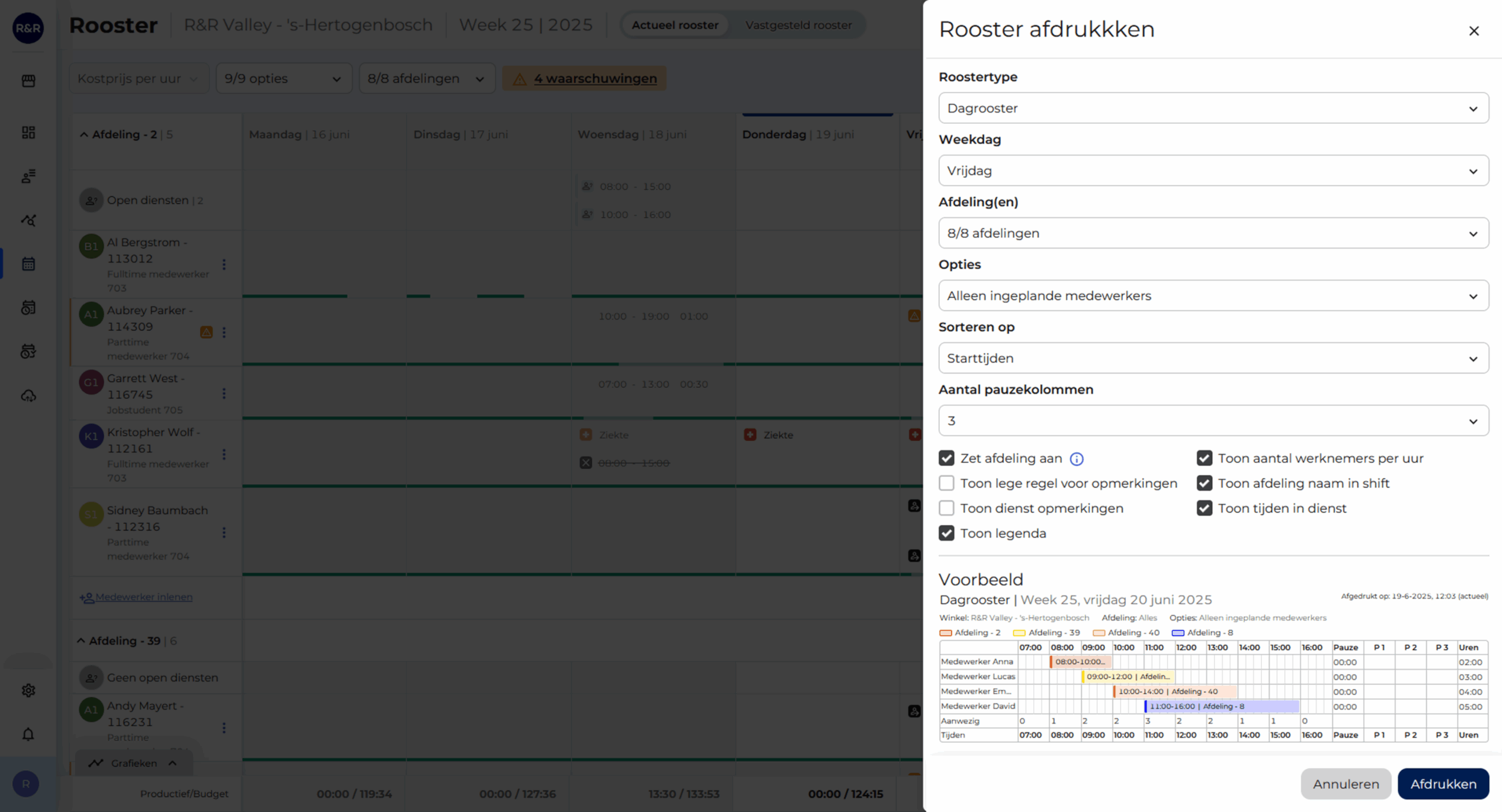
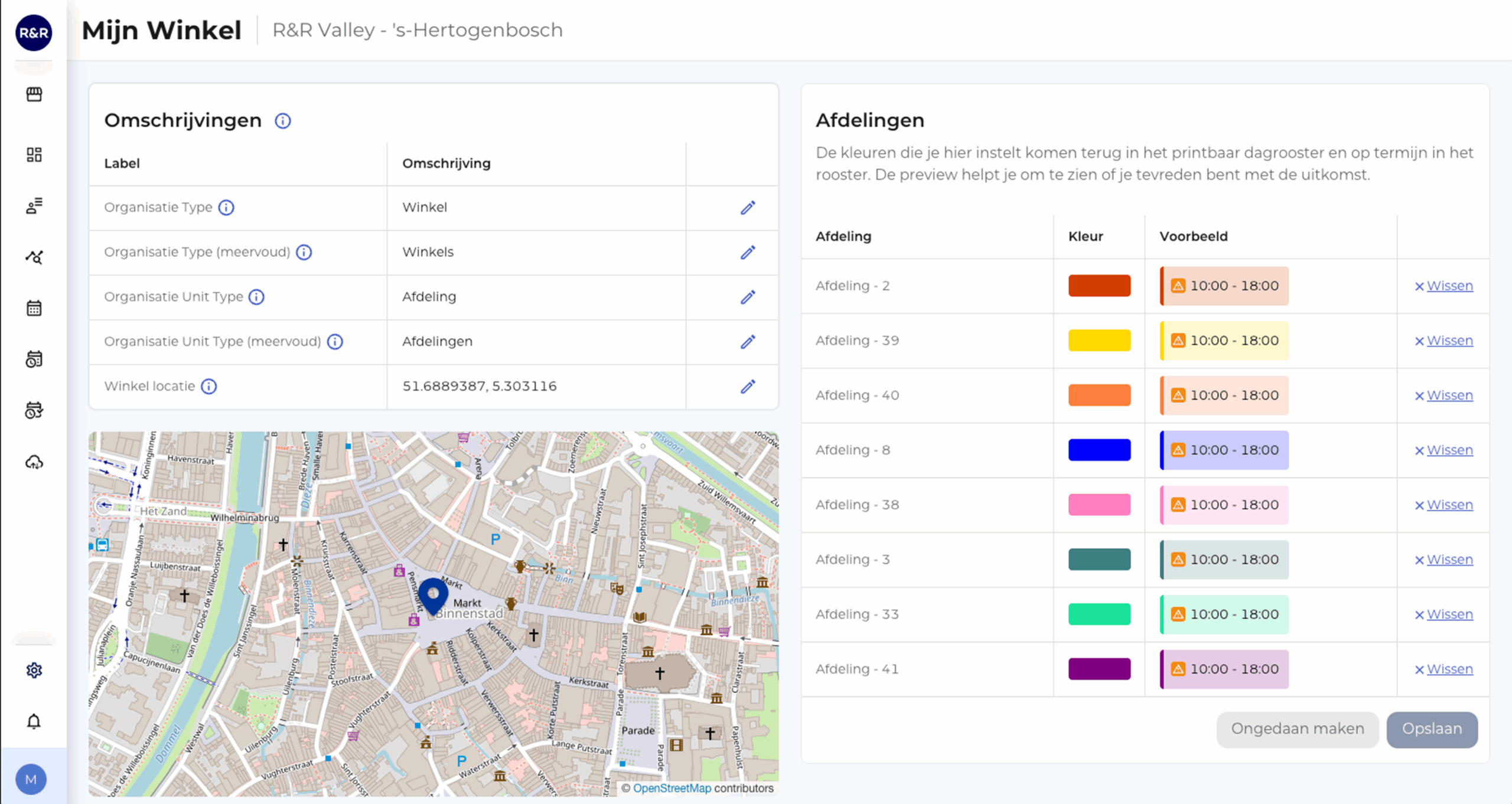
And the colors? You designed those yourself, too!
For example, choose green for the produce section and pink for the checkout. That way, you can see at a glance who is working where.
Do you need help or feedback? Our service desk (support@rr-wfm.com) is ready to assist you, and we'd love to hear what you think of the update. Together, we'll make it even better.
Would you like to read past newsletters again? You can do so at any time on our website. You can find the archive of our product updates. here.
Sincerely,
Mark Taling – Product Owner