In this issue, we’ll cover self-management of ATW rules in R&R. You’ll also learn more about updates and new features in R&R and the Job App, such as dark mode and the new “See Who You’re Working With” feature. Finally, we’re expanding our global reach and will let you know about all the new languages that have been added to the Job App.
The Working Hours Act (ATW) is an important part of scheduling with R&R. Any violations of the ATW are immediately apparent during the scheduling process. If an employee is assigned a shift that is too long or is not given enough rest days, a notification appears immediately.
In the February product update, we discussed in detail the convenience of the ATW rules in R&R. From now on, it is possible to manage these rules directly within R&R.
You can choose your own configuration of these rules for a store to optimize staff scheduling. Do you have more than one store? No problem—you can set up these configurations for all of them at once.
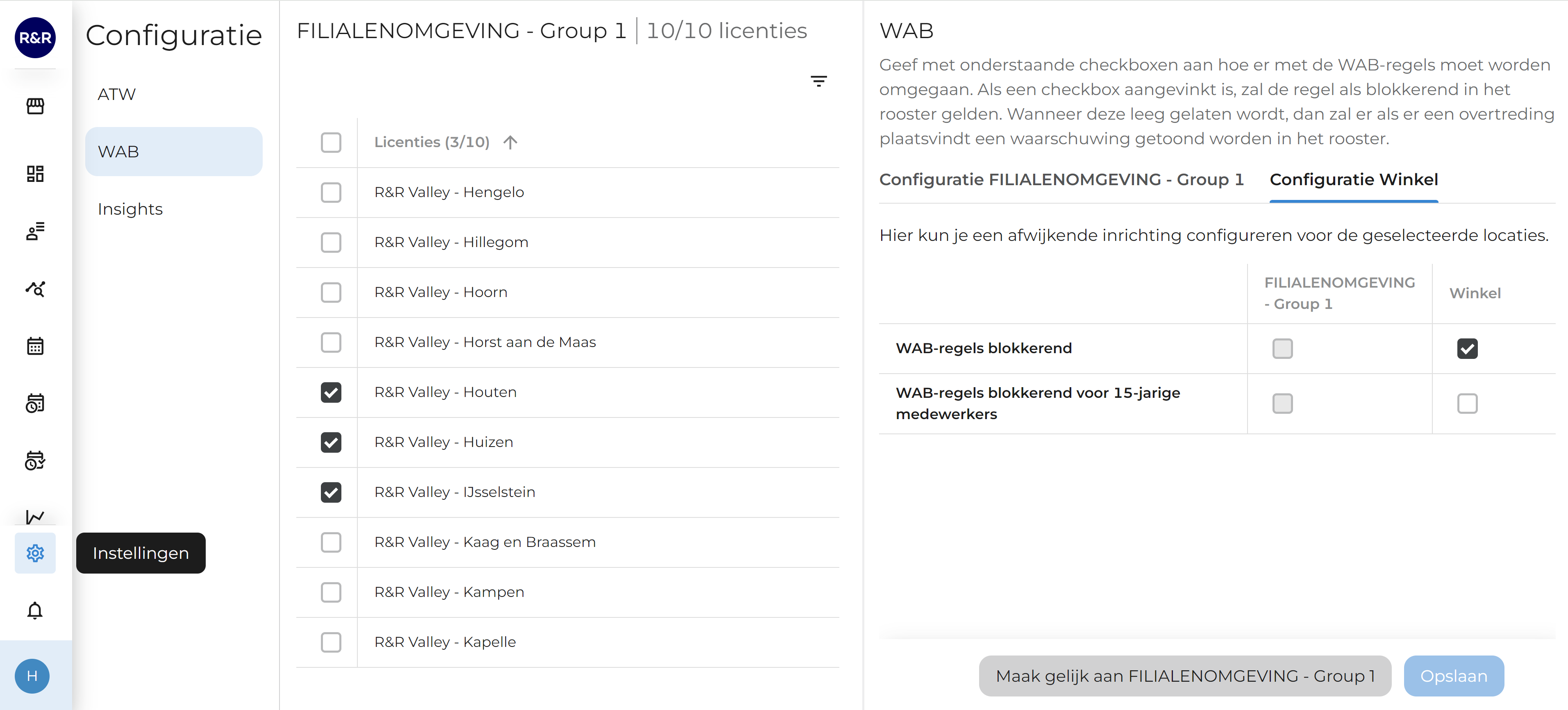
As mentioned earlier, we have added an exception for 15-year-old temporary workers. In addition, two more ATW rules have been added. By default, these two new rules trigger a warning. Would you like these new rules to be blocked in the schedule? If so, you can configure this in the settings screen.
A new menu item, “Configuration,” has been added via the settings in the menu bar. Here, you can select your own configurations for various parts of the application. This allows you to decide what is important to you. The screen below shows a deviation that has been set up for the three selected stores. For these three stores, you can see that WAB rules are blocked in the work schedule, but a warning is displayed in the work schedule only if there is a WAB violation involving a 15-year-old employee. Below, you can also see that the default configuration for this group of stores is set so that only warning messages are displayed in the work schedule.
Access rights to this control panel have been granted on a limited basis up to this point. Do you currently lack access rights to this screen? If so, these rights can still be granted if necessary.
In the last issue, we took a look at the R&R Job App. In the latest version of the R&R Job App, users can choose between light and dark modes. Additionally, we’ve ensured that watch actions can be displayed in the app even when the store uses physical watches. The final feature we’ll be rolling out this quarter is the ability to see who you’re working with within the app.
Every employee now has the option to switch the R&R Job App to dark mode. This way, you can check your work schedule in the evening before going to bed without the bright light keeping you awake.
In addition to the “Clocks in the App” feature offered by R&R, it is now also possible to see the time when a physical clock is displayed in a store. This allows users to quickly see what the clock is showing within the app, providing greater transparency.
A frequently requested feature has now been implemented. We are currently working on this to ensure that you can see who you are working with during your shift. All coworkers who are working with you at the same time will be visible in the app.
The advantage of this is that if you need a substitute, you can immediately see who is already scheduled to work at that time. Even if you have an early shift, you’ll know right away which coworker you need to start with. So there are no surprises.
This feature is enabled for everyone. If you don't want this feature to be visible to employees in your store, there is an option to disable it for your employees. You can disable this feature in the R&R Job App via a configuration screen, as described in the previous section. We will release these settings in a timely manner so that your preferences can be taken into account when the feature goes live.
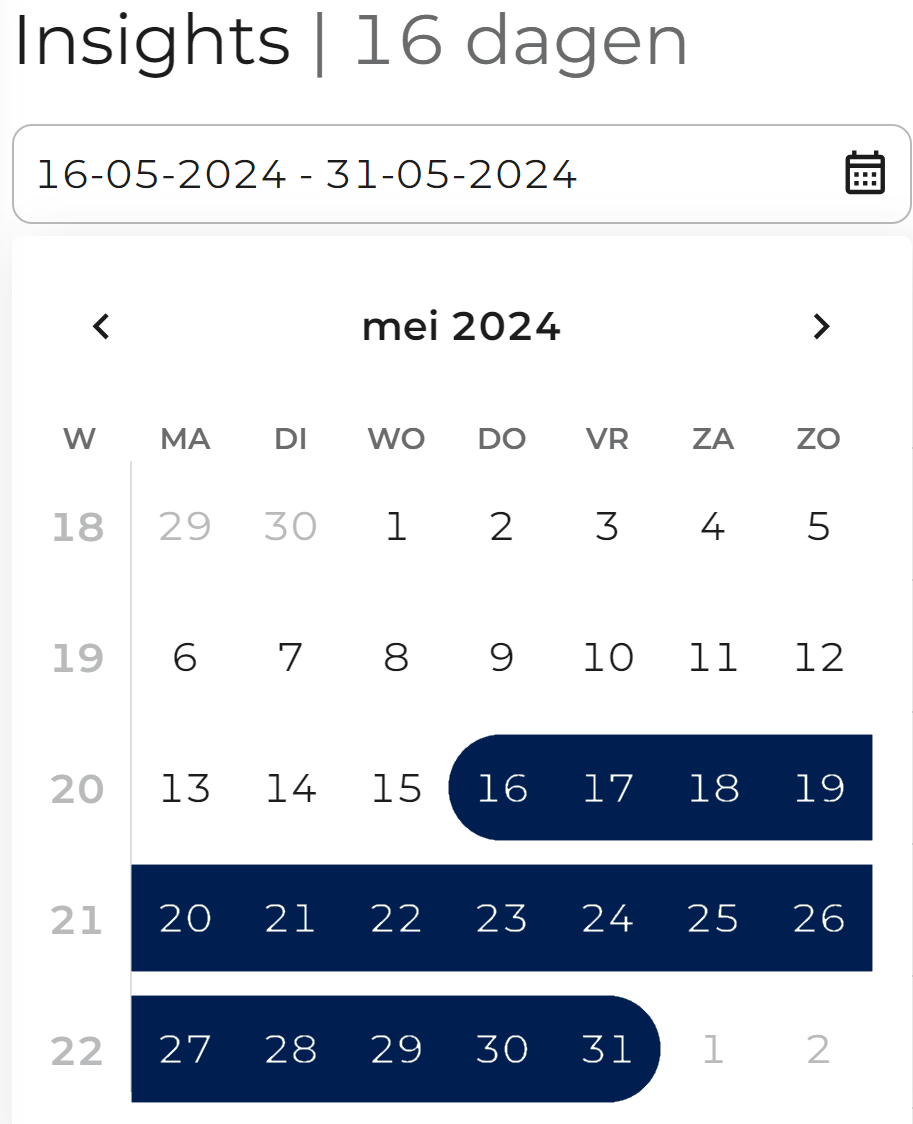
Starting this week, R&R Insights lets you view not only data for entire weeks or individual days, but also retrieve data for any time period you choose in one go. Are you curious about your productivity over the last three days? Or perhaps the last three months? No problem—with a simple date selection, you can choose the time period for which you want to retrieve the data.
For the past few weeks, the KPIs in the R&R dashboard have been fed by R&R Insights, regardless of whether you use Insights. This not only makes maintenance easier for us, but also offers a major benefit for Insights users: You can now customize the KPIs yourself.
Based on a shared view that you created in Insights, you can now define your own new KPIs to be displayed on the dashboard. If desired, you can set this up separately for each of your locations or apply the same settings to all of them.
Attentive users may have already noticed this, but in addition to the option to view your productive hours aggregated for the current week, you can now also view your productive labor costs aggregated for the week. Wondering how this aggregation works? Read the original announcement from January of this year here.
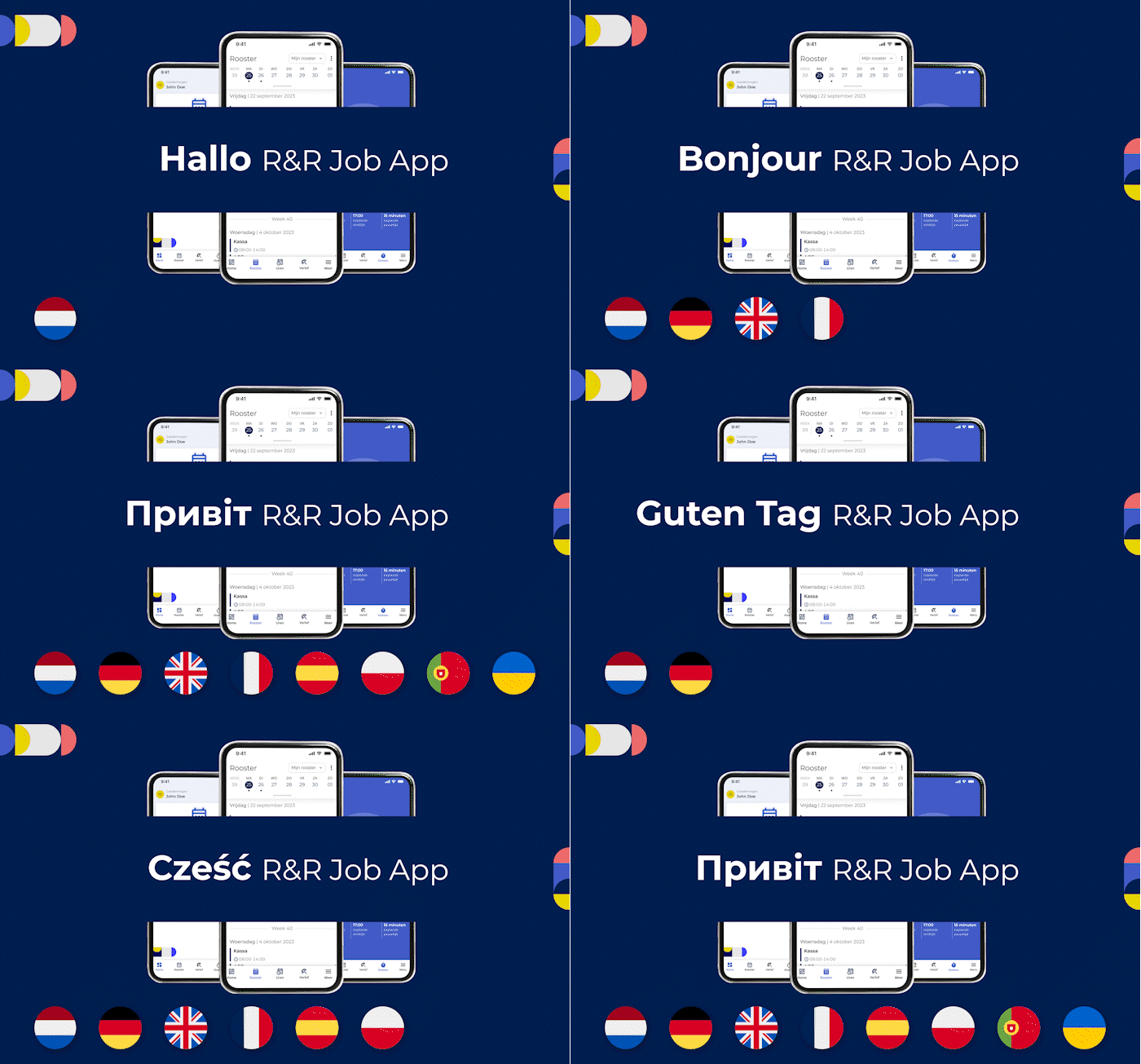
It should come as no surprise that R&R is available in multiple languages. You’ve been able to switch between different languages in your browser for ages, and the job app also adapts to your phone’s language whenever possible. And from now on, we’ll be doing the same in a few more languages.
The R&R Job App already switches automatically between Dutch, English, German, French, Spanish, Portuguese, Polish, and Ukrainian! If your phone is set to a language not listed here, the R&R Job App will automatically switch back to English.
In the coming weeks, the R&R browser app will also support these eight languages. As an existing user, you won't notice any changes, but you can change the language in the menu at the bottom left if you'd like.
By offering content in the language that best suits our users, we aim to break down barriers. In this way, we make R&R accessible to a wider audience. We also improve the user experience because it’s easier to find what you’re looking for.
Do you have any questions about the information above? Please contact us at aftersales@rr-wfm.com .
Would you like to read past newsletters again? You can do so at any time on our website. You can find the archive of our product updates. here.
Sincerely,
Hiska Boelema – Product Owner