In this issue, we’ll cover the introduction of calculated columns in R&R Insights—which let you easily create your own calculations—and the new option to export work schedules in your preferred format. We’ll also let you know about a change to the location of notifications within the application, so you’re always kept informed about important updates and events.
With R&R Insights, you have real-time access to your control data at all times. Revenue, labor costs, and working hours are visible at various levels. Metrics such as productivity and the labor cost ratio are also calculated directly for you. Sometimes, however, you need more. Perhaps you’d like insight into the percentage of hours lost to absenteeism. Or a direct look at the difference between actual costs and the standard, so you can immediately identify where adjustments need to be made.
Starting Wednesday, September 11, you can set this up yourself! R&R Insights now offers the option to perform calculations on columns. From now on, you no longer have to calculate the difference between two columns yourself—instead, you’ll see it clearly displayed in your overview with just a few mouse clicks. This allows you to focus on what really matters: managing your business. Save valuable time by always having the key performance metrics you need at your fingertips.
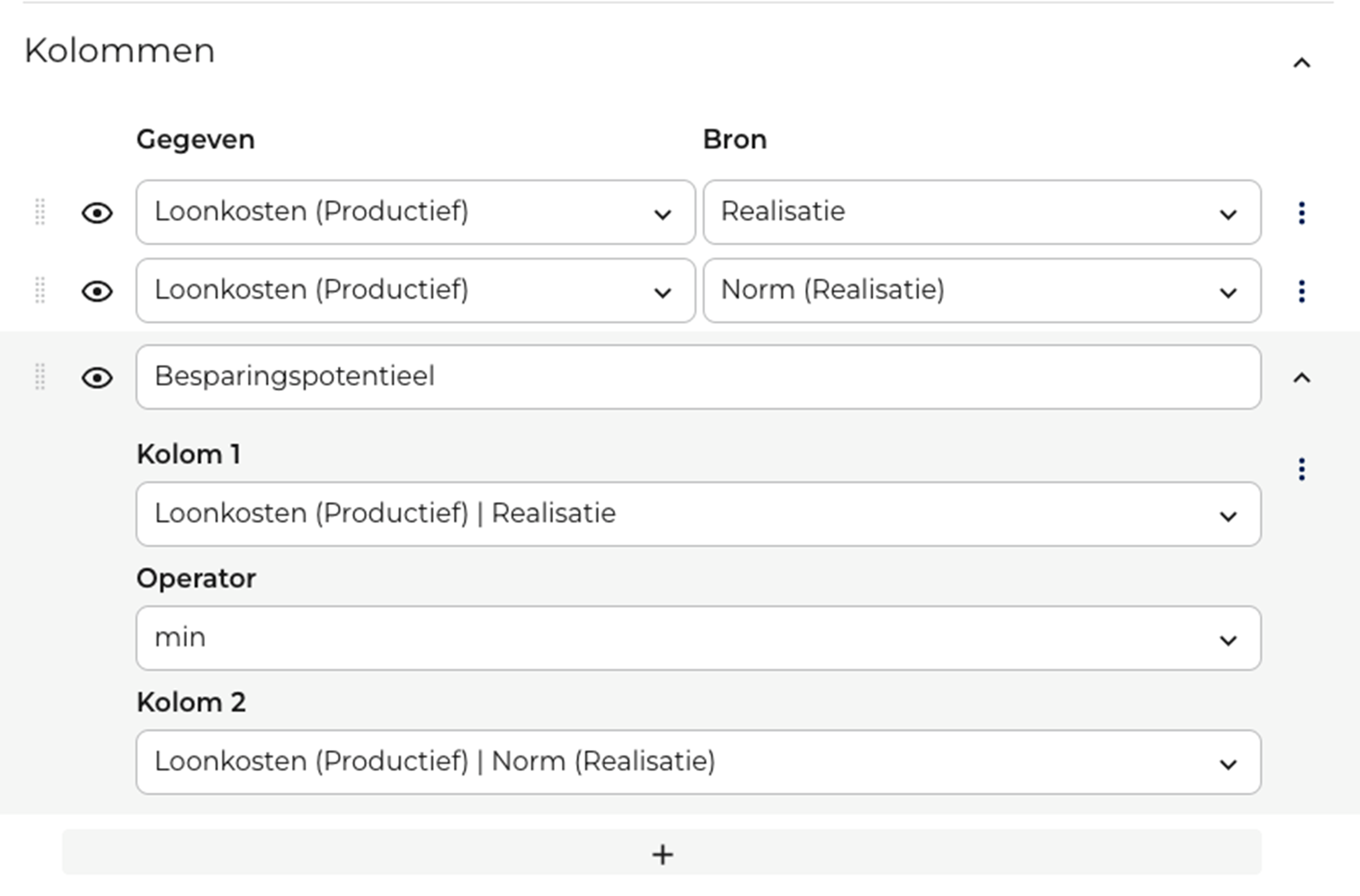
Creating a calculated column simply involves selecting two other columns and specifying which calculation should be performed on them.
R&R has added a new feature: the ability to export work schedules! This enhancement follows the previously introduced ability to export pay stubs. All you have to do is select and consolidate your data to get exactly the information you need. The data can be automatically exported in various formats.
To avoid duplicating work, you can set up the export once. Then specify whether the data should be sent only when the work schedule is created, or whether you want the data in the current work schedule to be updated daily. The difference between these two options can then be easily visualized by the names given to them.
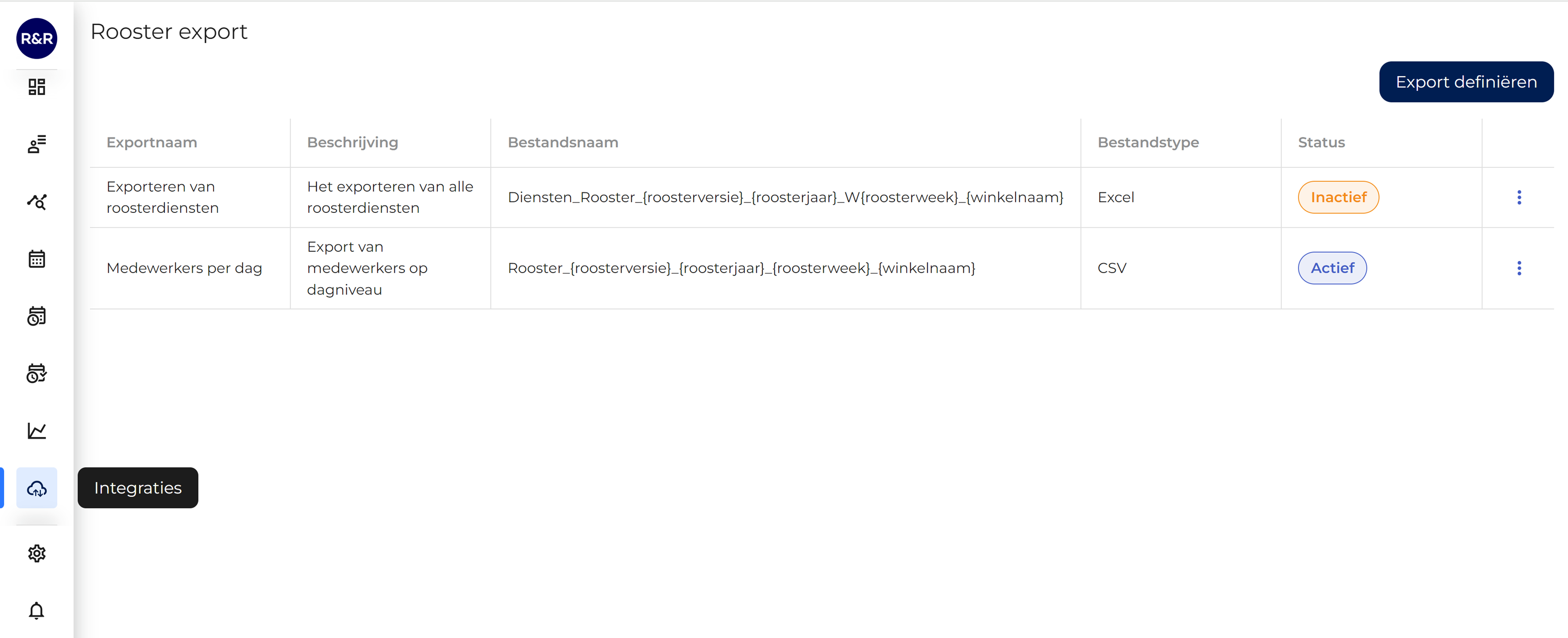
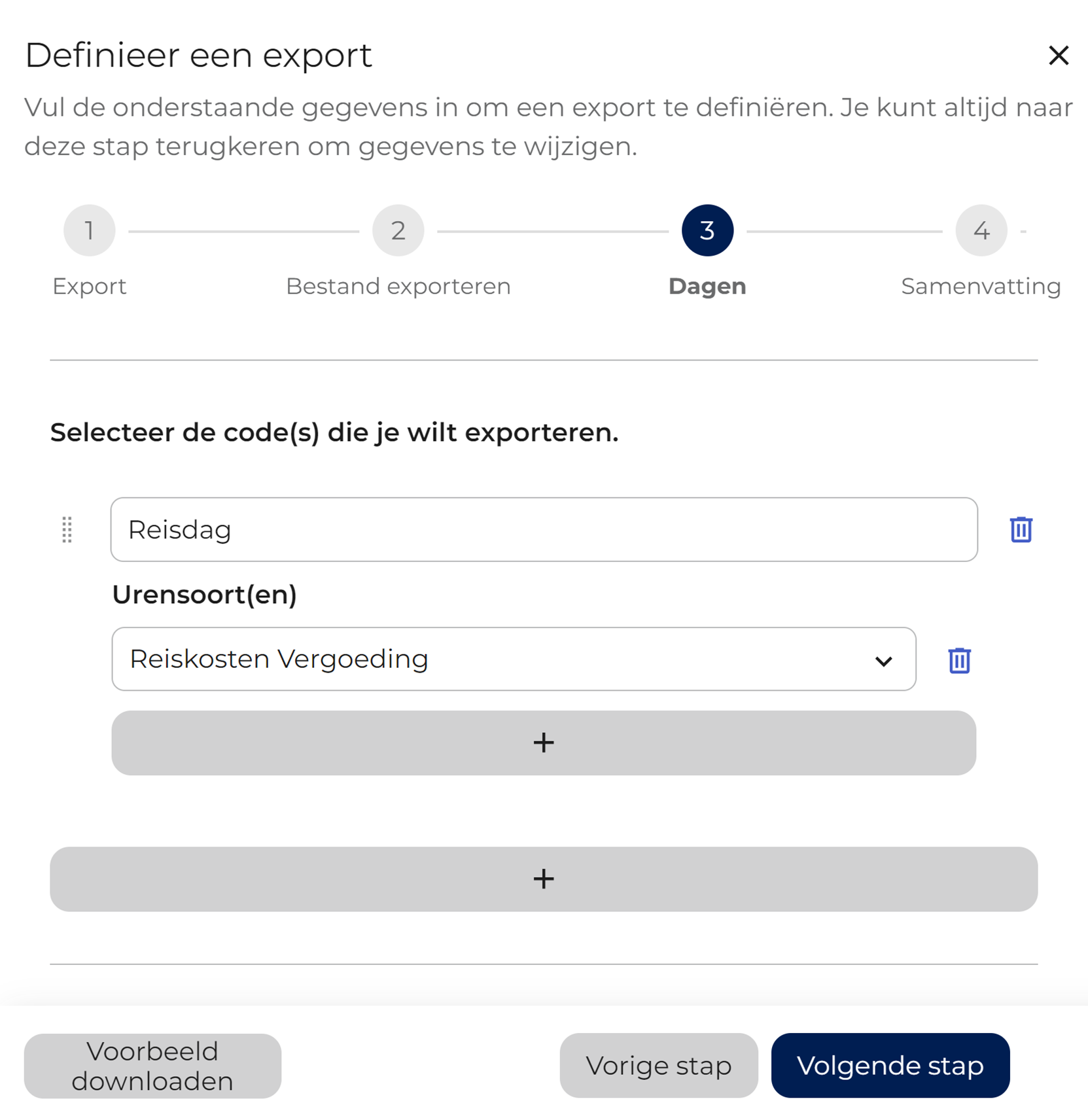
You can even create multiple exports to meet various information needs! Would you like to export all the schedules? That’s no problem. Would you also like to see at a glance how many and which employees will be eligible for a travel allowance? That’s possible, too.
Using the button in the lower-left corner of the screen, you can immediately preview the export settings you've configured. This gives you instant feedback and lets you quickly and easily see what the export will look like when it's automatically exported.
Are you a user of the administration interface? If so, we'll let you know about this feature soon.
For more information about the flexible work schedule export feature , please contact our customer service department.
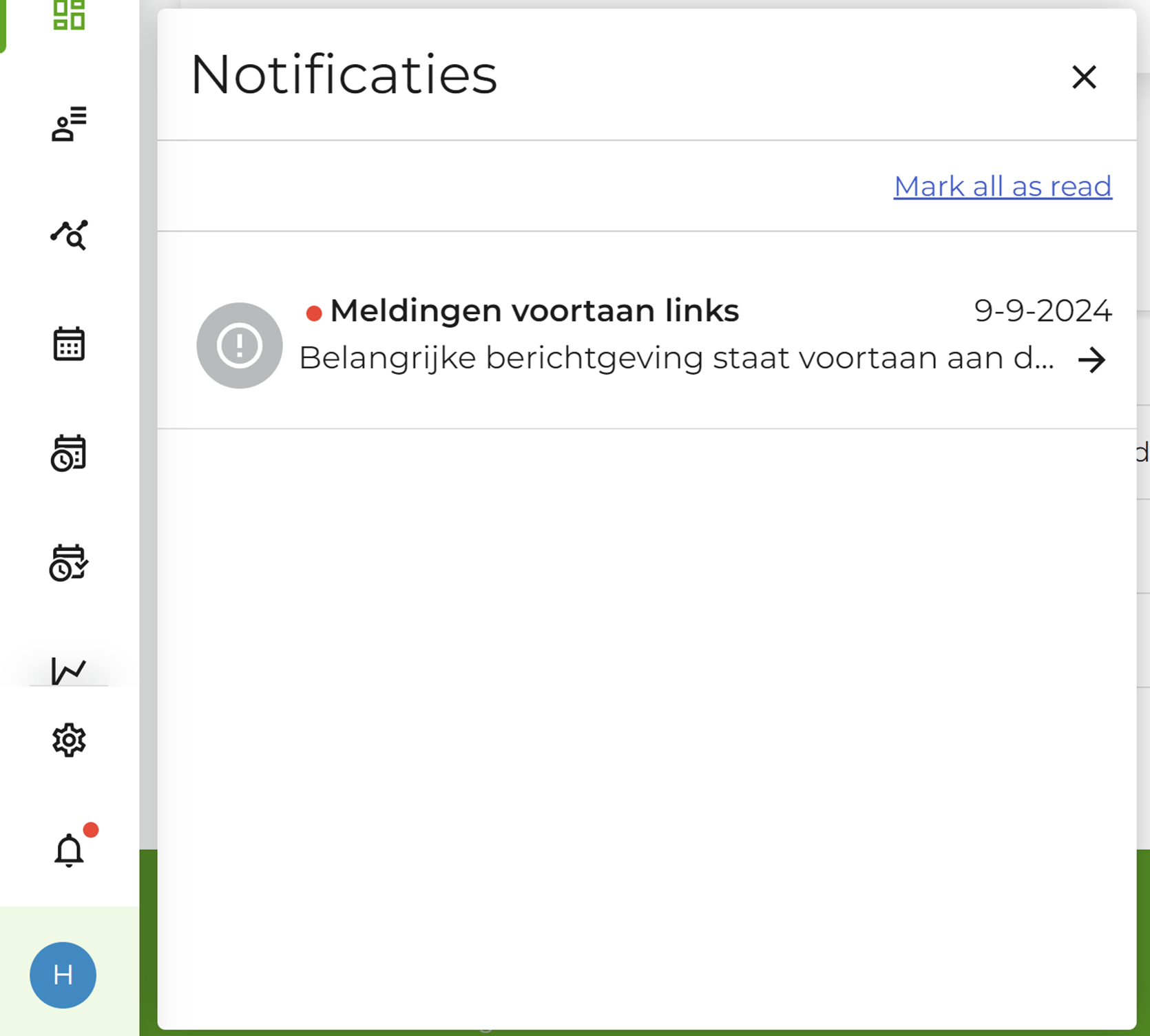
When new features are released, urgent maintenance is performed, or other important events occur, R&R often displays a notification to keep you informed right within the application. This ensures that you, as a user, are always up to date. Previously, these notifications appeared on the black question mark in the lower-right corner of the screen. A new notification would then display a red circle with a number inside it; clicking on it revealed a megaphone icon that had to be clicked.

Over the next two weeks, this question mark will disappear from R&R. From then on, notifications will appear in the lower-left corner next to the bell icon. Notifications about broken links already appear here; soon, this will be the sole source for all messages in the app.
Otherwise, it works the same way: Do you see a red dot? Just click on it to read the message, and you'll be up to date right away.
Do you have any questions about the information above? Please contact us at aftersales@rr-wfm.com .
Would you like to read past newsletters again? You can do so at any time on our website. You can find the archive of our product updates. here.
Sincerely,
Mark Taling – Product Owner