What's it all about? – A monthly reminder of useful R&R features
Provide an overview covering a longer period of time
Are you planning for the vacation season? During the summer vacation period, many employees request time off at the same time. As a manager, you’ll want to see all vacation requests in a single overview so you can easily determine whether you can approve all employees’ requests.
In the calendar view of the absence overview, you can view all approved and pending vacation requests for a four-week period. You can approve or reject requests directly by clicking on them.
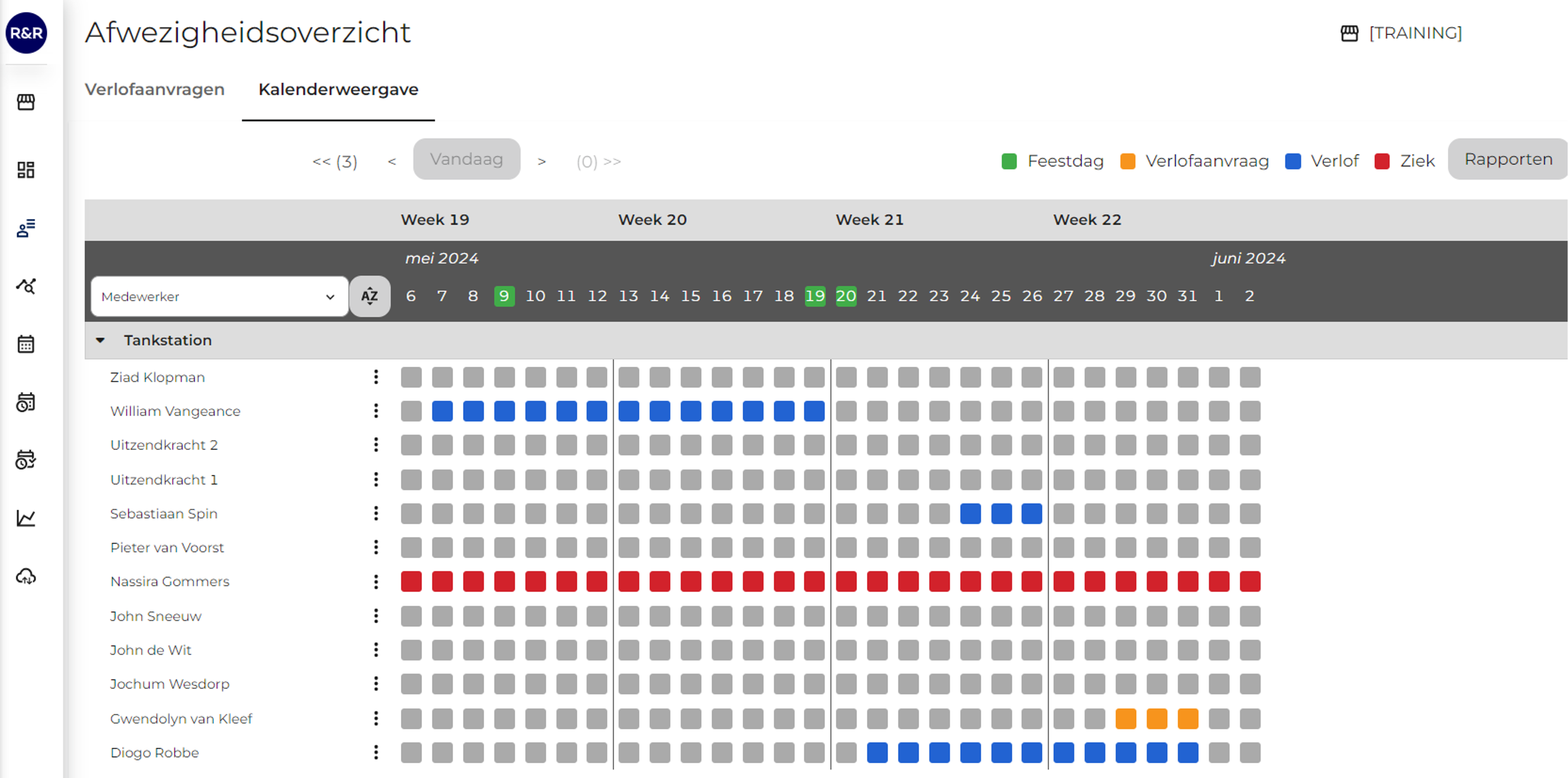
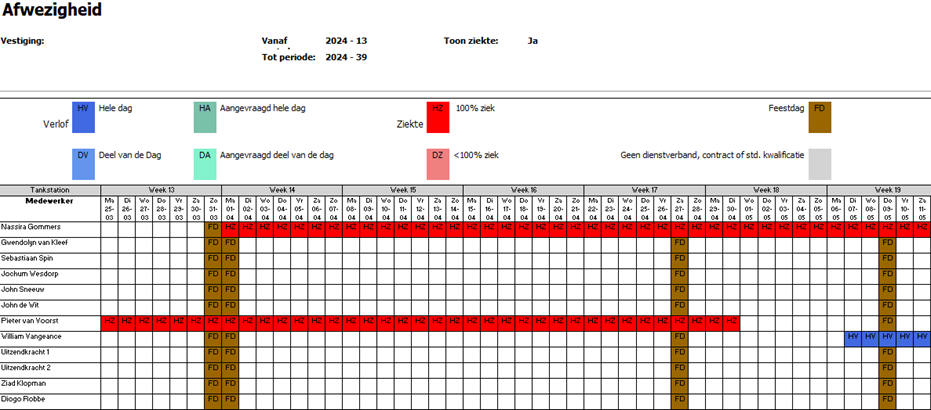
Do you need an overview covering a longer period? By clicking the “Reports” button, you can download an expanded view of this screen, which allows you to view vacation requests for a 27-week period. Using this screen and the reports, you can use R&R to properly evaluate vacation requests.
Any questions?
Do you still have questions after reading the information above? Please contact us at aftersales@rr-wfm.com, and we will make sure your question or request reaches the right people.